
|

|
WebOTX Manual V10.4 (第4版) 目次を表示 |
|
|
|
WebOTX Manual V10.4 (第4版) 目次を表示 |
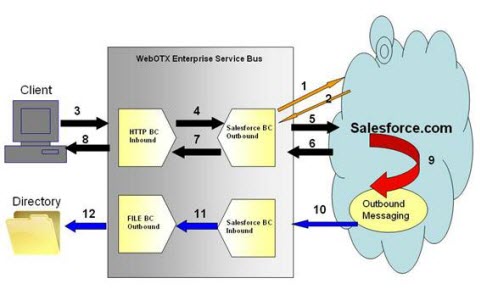
図4.19.1-1
| ファイル名 | 説明 |
|---|---|
| 19_Salesforce.zip | HTTPクライアントからメッセージを受け取り処理するサービスアセンブリです。 |
| 19_TestData.xml | HTTPクライアントが送信するテストデータです。 |
| proj_19_Salesforce.zip | サービスアセンブリのプロジェクトファイルです。 |
| run.bat | WindowsでHTTPクライアントを実行するバッチファイルです。 |
| run.sh | UnixでHTTPクライアントを実行するシェルスクリプトです。 |
| HttpClient.java | HTTPクライアントのソースファイルです。 |
C:\WebOTX\domains\domain1\config>keytool -importcert -alias <alias name> -file <入手した証明書(*.cer)> -keystore cacerts.jks -storepass changeitdomain1を再起動します。
C:\WebOTX\domains\domain1\config>otxadmin stop-domain domain1
C:\WebOTX\domains\domain1\config>otxadmin start-domain domain1
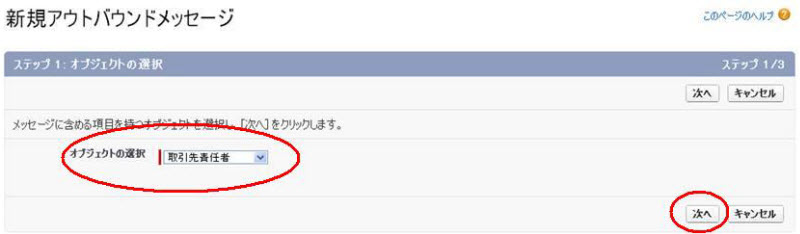
図4.19.3-1
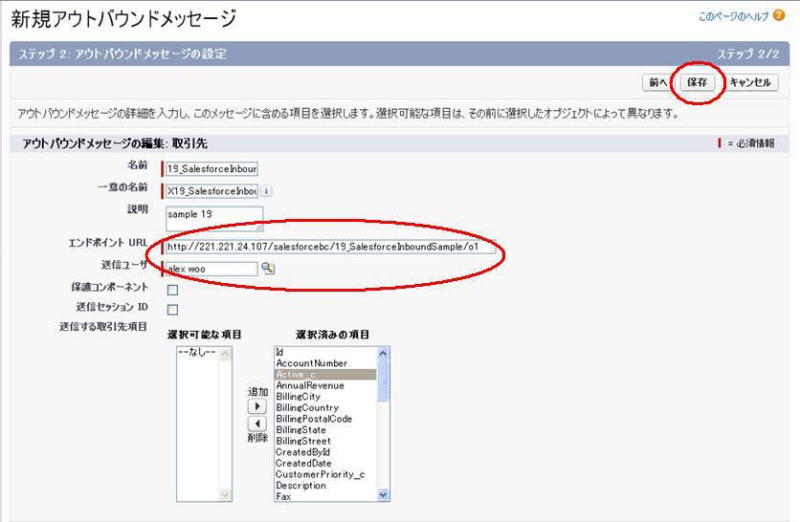
図4.19.3-2
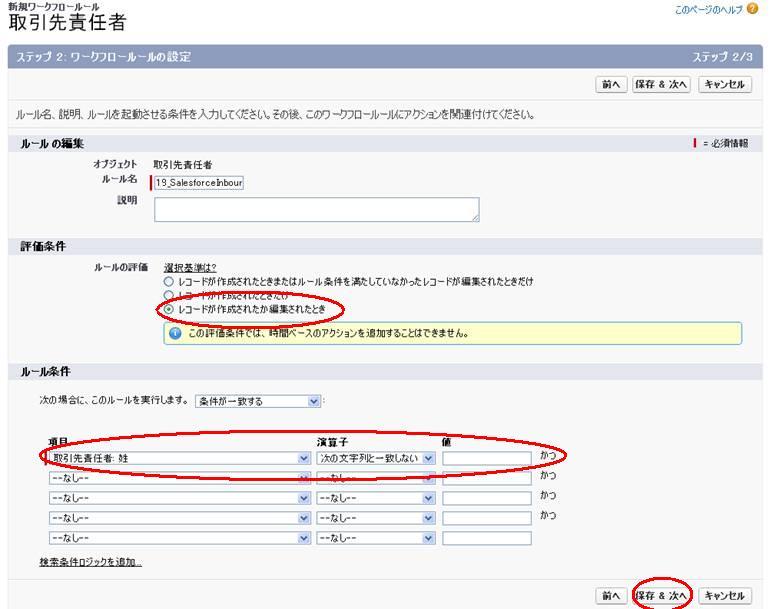
図4.19.3-3
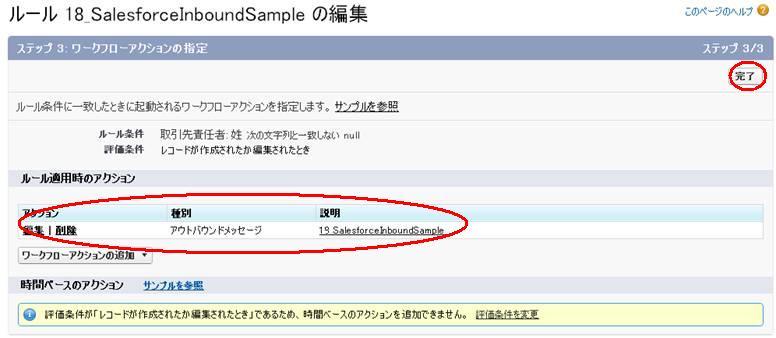
図4.19.3-4
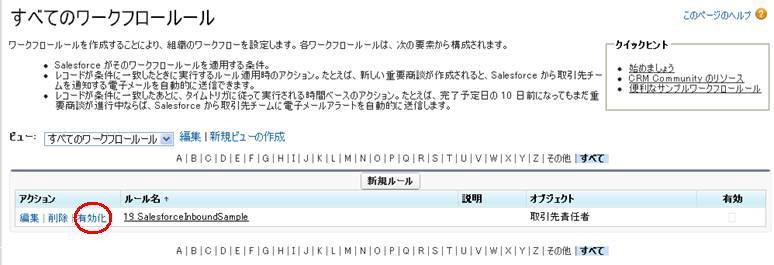
図4.19.3-5
C:\>otxadmin
otxadmin> list-domains domain1 running WebOTXAdmin runningdomain1がrunningとなっていればドメインは起動しています。
otxadmin> start-domain domain1
otxadmin> login --user <ユーザ名> --password <パスワード>domain1を6212ポート以外で運用している場合は、portオプションでポート番号を指定してください。
otxadmin> list-jbi-binding-components ================================ List of Binding Components ================================ Name : CORBABinding State: Started -------------------------------- Name : FTPBinding State: Started -------------------------------- Name : HTTPBinding State: Started -------------------------------- (中略) -------------------------------- Name : SOAPBinding State: Started --------------------------------HTTPBinding、FILEBindingとSalesforceBindingがstartedになっていることを確認します。
otxadmin> start-jbi-component SalesforceBinding
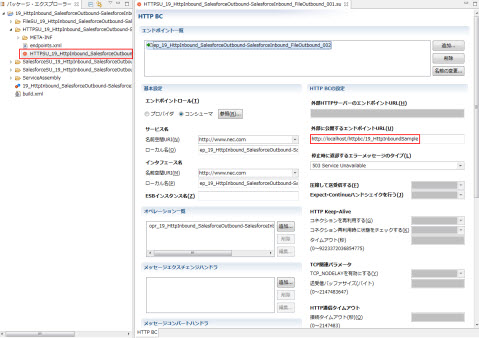
図4.19.3-6
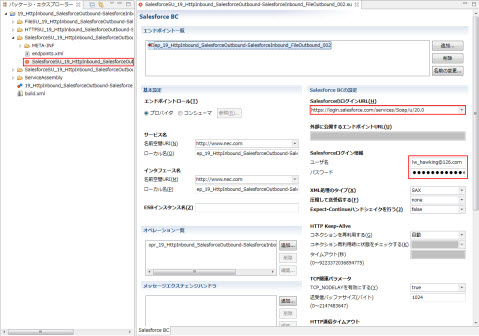
図4.19.3-7
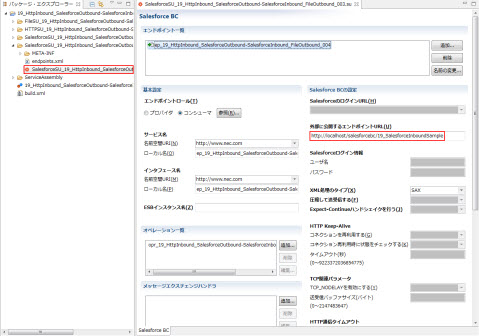
図4.19.3-8
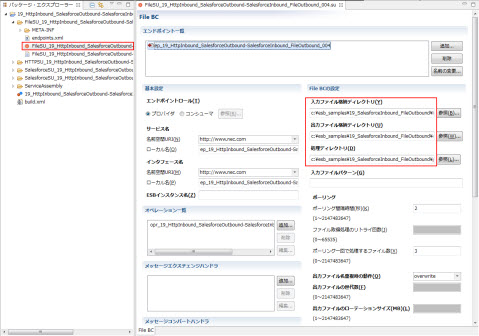
図4.19.3-9

図4.19.3-10
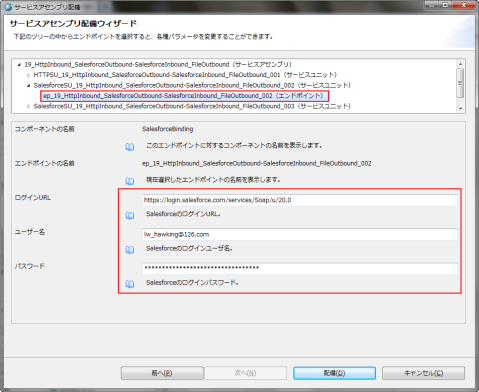
図4.19.3-11

図4.19.3-12
otxadmin> deploy-jbi-service-assembly <19_Salesforce.zipへのパス>WebOTX AS Standard/Enterpriseのアドバンスドモードの場合は以下を実行します。
otxadmin> deploy-jbi-service-assembly --apgroup <アプリケーショングループ名> --pgroup <プロセスグループ名> <19_Salesforce.zipへのパス>ただしポート、ディレクトリパスまたはログイン情報が適切ではない場合はmodifyオプションをtrueにし、SalesforceSU、FILESUとHTTPSUを修正してください。
otxadmin> start-jbi-service-assembly 19_HttpInbound_SalesforceOutbound-SalesforceInbound_FileOutbound
> run.batUNIX環境で、run.shの環境変数AS_INSTALLとURLを確認します。WebOTXのインストールディレクトリが/opt/WebOTXではない場合、
> chmod 777 run.sh
> ./run.sh
response code: 200
response body:
<?xml version="1.0" encoding="utf-8"?>
<createResponse xmlns:soapenv="http://schemas.xmlsoap.org/soap/envelope/" xmlns=
"urn:partner.soap.sforce.com"><result><id>*********</id><success>true</
success></result></createResponse>
<notifications xmlns="http://soap.sforce.com/2005/09/outbound" xmlns:xsd="http://www.w3.org/2001/XMLSchema" xmlns:soapenv="http://schemas.xmlsoap.org/soap/envelope/" xmlns:xsi="http://www.w3.org/2001/XMLSchema-instance">
   <OrganizationId>*********</OrganizationId>
   <ActionId>*********</ActionId>
   <SessionId xsi:nil="true"/>
   <EnterpriseUrl>https://ap1-api.salesforce.com/services/Soap/c/*********</EnterpriseUrl>
   <PartnerUrl>https://ap1-api.salesforce.com/services/Soap/u/*********</PartnerUrl>
   <Notification>
    <Id>*********</Id>
    <sObject xsi:type="sf:Contact" xmlns:sf="urn:sobject.enterprise.soap.sforce.com">
     <sf:Id>*********</sf:Id>
     <sf:CreatedById>*********</sf:CreatedById>
     <sf:CreatedDate>YY-MM-DDTHH:MM:SS.****</sf:CreatedDate>
     <sf:FirstName>forceTest</sf:FirstName>
     <sf:IsDeleted>false</sf:IsDeleted>
     <sf:LastModifiedById>*********</sf:LastModifiedById>
     <sf:LastModifiedDate>YY-MM-DDTHH:MM:SS.****</sf:LastModifiedDate>
     <sf:LastName>WebOTX</sf:LastName>
     <sf:OwnerId>*********</sf:OwnerId>
     <sf:SystemModstamp>YY-MM-DDTHH:MM:SS.****</sf:SystemModstamp>
    </sObject>
   </Notification>
  </notifications>
otxadmin> shut-down-jbi-service-assembly 19_HttpInbound_SalesforceOutbound-SalesforceInbound_FileOutbound
otxadmin> undeploy-jbi-service-assembly 19_HttpInbound_SalesforceOutbound-SalesforceInbound_FileOutbound